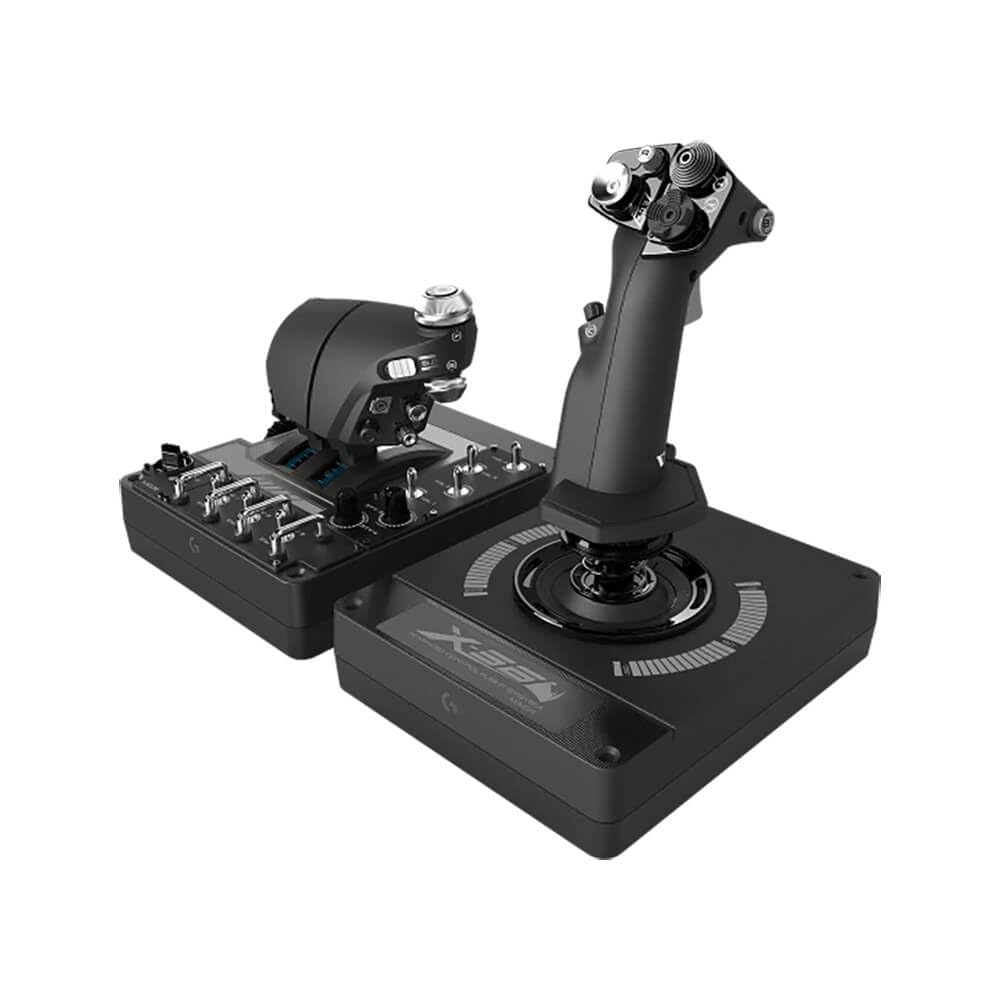
The Logitech G X56 H.O.T.A.S. is a serious piece of kit for flight simulation enthusiasts. It’s a full hands-on throttle and stick setup that aims to bring a high degree of control to games like Microsoft Flight Simulator, Star Citizen, or DCS World. After spending some time with it, the overall impression is that it’s a capable but not flawless system, and it’s worth understanding its trade-offs before buying.
In real-world use, the X56 feels substantial. The throttle unit and joystick are separate, connected to a PC via two USB cables. This means you get a lot of physical controls spread across both units. The throttle features a large, smooth-moving main throttle lever with a center detent, plus a smaller analog thumb stick and a generous array of buttons, hats, and rotary dials. The joystick itself is relatively tall, with a twist axis for rudder control, and its grip is sculpted for a right-handed user. The base includes a metal plate, and the stick uses a spring-based centering mechanism with four different spring options included, allowing you to adjust the tension. This is a notable feature, as it lets you customize the feel from fairly light to quite stiff, depending on your preference for precision or resistance.
Key functional features include the 189 programmable controls, which is a lot of inputs. Through Logitech’s software, you can assign complex macros, key combinations, or direct axis mappings. The RGB lighting on the stick and throttle base is adjustable, but it’s more of a cosmetic touch than a functional necessity. The twist axis on the stick is useful for games where you need rudder control without pedals, but it can be a bit stiff and can lead to unintentional inputs during intense maneuvers. The throttle’s analog thumb stick is handy for camera control or strafing in space sims, though its placement might feel slightly awkward for some hand sizes.
However, there are limitations. One trade-off is the build quality. While the overall construction feels solid, some of the plastic components, particularly around the throttle’s switches and the joystick’s base, can feel a bit creaky or less premium than the price suggests. The stick’s centering mechanism, while adjustable, can develop a slight notchiness over time, which might affect fine control in air-to-air refueling or precision hovering. Another common observation is that the two USB cables can be a minor inconvenience for cable management, and the software, while functional, is not the most intuitive for deep customization. The stick’s height might also be an issue for users with smaller desks or those who prefer a lower-profile grip.
Compared to a simpler, all-in-one flight stick like the Thrustmaster T.16000M FCS, the X56 offers far more buttons and axes, making it better suited for complex simulations where you need to map many controls without reaching for a keyboard. But the T.16000M is often more accessible in terms of price and has a more consistent build feel. For someone moving up from a basic joystick, the X56 provides a significant upgrade in capability, but it’s not as refined as higher-end, metal-constructed setups from brands like Virpil or VKB, which are more expensive but offer better precision and durability.
Who is this for? It’s suitable for intermediate to advanced flight simmers who want a comprehensive control set without jumping to boutique gear. It works well for space sims, combat flight sims, and general aviation, provided you’re willing to tweak settings and accept some plastic feel. It is not ideal for beginners on a tight budget, or for those who prioritize absolute precision and metal construction over button count. Also, left-handed users will find the joystick awkward, as it’s designed for right-hand use only. Overall, the X56 is a functional, feature-rich option that delivers on its promise of many controls, but it’s not without its compromises in build consistency and ergonomic nuance.