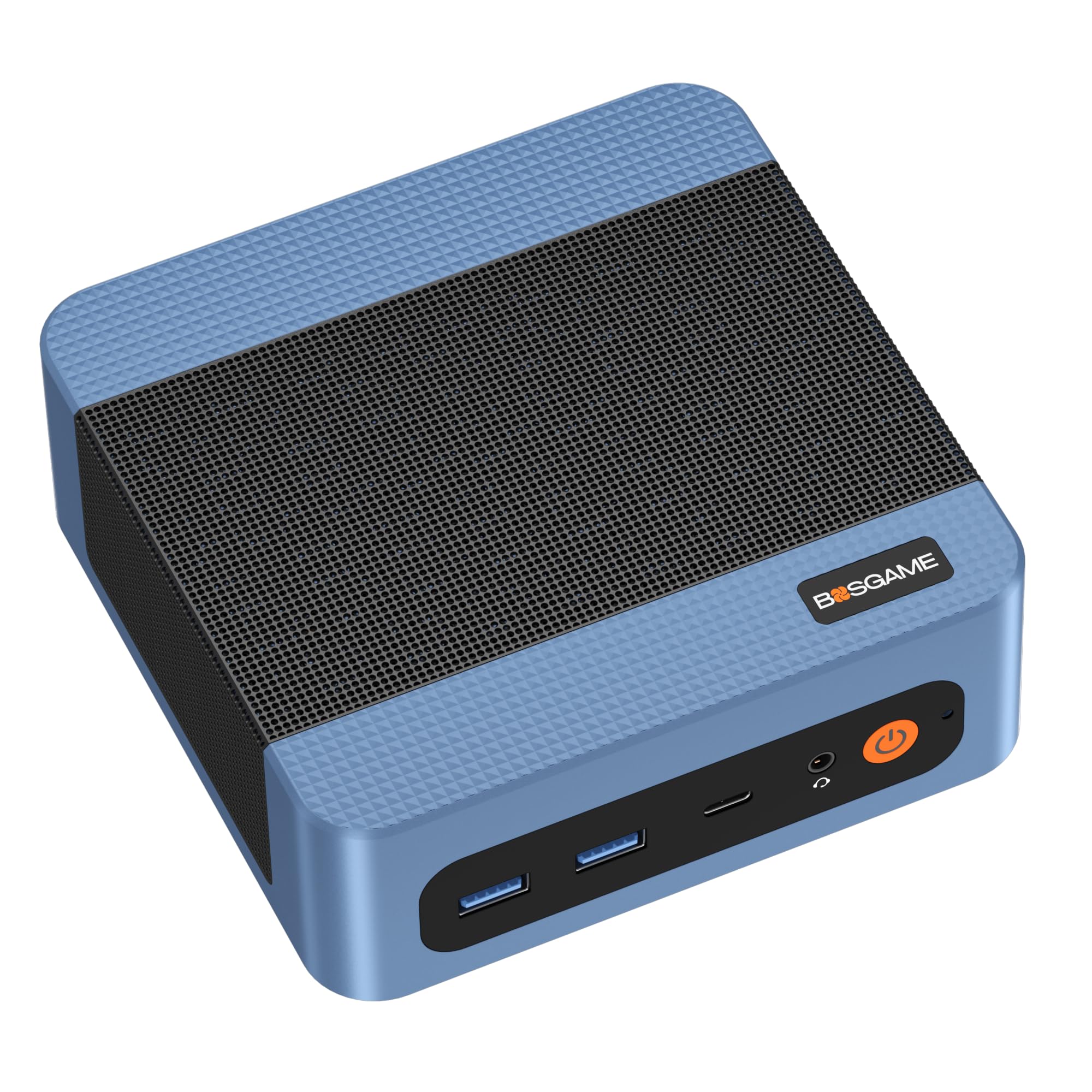
The BOSGAME E5 is one of a growing number of small-form-factor desktops built around modest laptop-class silicon. In this case, that silicon is AMD’s Ryzen 3 5300U, a four-core, eight-thread chip from the Zen 2 generation paired with 16GB of DDR4 memory and a 512GB NVMe SSD. It is not a machine that promises much in the way of excitement, and that is largely the point. This is a compact, low-power desktop intended for the sort of work that most people actually do: browsing, email, spreadsheets, video calls, and light document editing.
The appeal of a mini PC like this is mostly spatial. At roughly the size of a thick paperback, it can sit behind a monitor, mount to a VESA bracket, or disappear on a shelf. For a home office with limited desk space, or for a small business that needs a handful of identical workstations without the clutter of towers, that form factor does real work. The E5 also draws relatively little power compared with a conventional desktop, which matters if the machine is left on through the day.
On the specification sheet, the 5300U is the part worth understanding. It is a 15W-class processor with four cores and eight threads, and its integrated Radeon graphics are enough for display output and video decode but not for gaming beyond older or very light titles. In practice, that means the E5 handles a dozen browser tabs, a video call, and a spreadsheet open at once without obvious strain. Heavier multitasking, such as running a virtual machine alongside a large photo-editing session, will expose the limits of four cores fairly quickly. Buyers should calibrate expectations to an upper-tier office laptop rather than a workstation.
The 16GB of RAM is a sensible match for this chip and is more than many budget mini PCs offer. It keeps the machine comfortable under normal multitasking and leaves headroom for browser-heavy workflows. The 512GB NVMe drive is adequate for an operating system and a reasonable set of applications, though anyone storing large media libraries will want to plan for external storage or check whether the unit can be upgraded. Buyers should verify the specific configuration and upgrade options before purchase, since mini PC vendors often revise internal layouts between batches.
Connectivity is where small desktops tend to differentiate themselves, and the E5’s port selection is worth checking against your own peripherals. In general terms, this class of machine typically offers a few USB ports, an HDMI or DisplayPort output, Ethernet, and a headphone jack, with Wi-Fi and Bluetooth handled internally. If you rely on multiple monitors, dual-display support is a feature to confirm rather than assume. The same applies to wired networking: an Ethernet port is useful for stable video calls and office networks, but the exact specification can vary.
Two practical trade-offs are worth stating plainly. First, serviceability and support are less predictable than with a major brand. Mini PCs from smaller vendors often use standard components, but documentation, BIOS updates, and warranty handling can be thinner than what Dell, HP, or Lenovo provide. Second, the fan and thermal design in a chassis this small means the machine may become audible under sustained load, even if it is quiet at idle. Neither issue is disqualifying, but both are part of the honest picture.
Compared with a conventional tower desktop, the E5 gives up expandability and raw performance in exchange for size and power draw. Compared with a laptop, it gives up portability but typically offers a better price-to-performance ratio and a more comfortable fixed desk setup. Compared with a Raspberry Pi or other single-board computer, it is far more capable and far less fiddly, though also more expensive. The closest alternative is arguably a used or refurbished business micro PC, which may offer stronger build quality and support at a similar price, albeit with older components.
Who is this for? It suits a home-office user with modest demands, a student who needs a quiet desktop for coursework, a small business deploying basic workstations, or anyone who wants a secondary PC for a TV or kitchen desk. It is also reasonable as a light media or emulation box, within limits. Who is it not for? Gamers, video editors, developers running heavy containers or virtual machines, and anyone who expects to upgrade the CPU or add a dedicated graphics card later. Those users should look at a larger desktop or a machine with a more powerful processor.
The BOSGAME E5 is best understood as a practical, unglamorous tool. It does everyday computing competently at a small size and low power draw, and it asks buyers to accept the usual compromises of the mini PC category: limited expansion, uncertain long-term support, and performance that tops out well below a full desktop. For the right user, those compromises are easy to live with. For the wrong one, they will be frustrating. Matching the machine to the workload is the whole decision.